
Documentation › Integrations
API keys and the API
Create Embiro BI API keys, run saved queries and fetch results with the Query API, and read the REST API.
API keys let other programs, such as a spreadsheet, a script, a data warehouse sync or your own app, read data from Embiro BI without a person signing in.
Who can do this: every member manages their own keys. Super Admins and Admins also see and revoke everyone's. It is a plan feature ("API access with API keys").
Two kinds of key
- User key
- Acts as you, in your organization only: the full Query API (below), plus read-only access to Embiro BI's REST API (
/api/v1/...). It can only see what you can see. - Query key
- Can only run one saved query and fetch its results. Safe to put in a spreadsheet or share with a partner system.
Create a key
- Open Settings → API keys.
- Choose the Key type: User key or Query key (then pick the Saved query; save one in SQL Lab first).
- Give it a Key name, such as Warehouse sync, and click Create key.
- Copy the key now. It starts with
emb_and is shown only once.
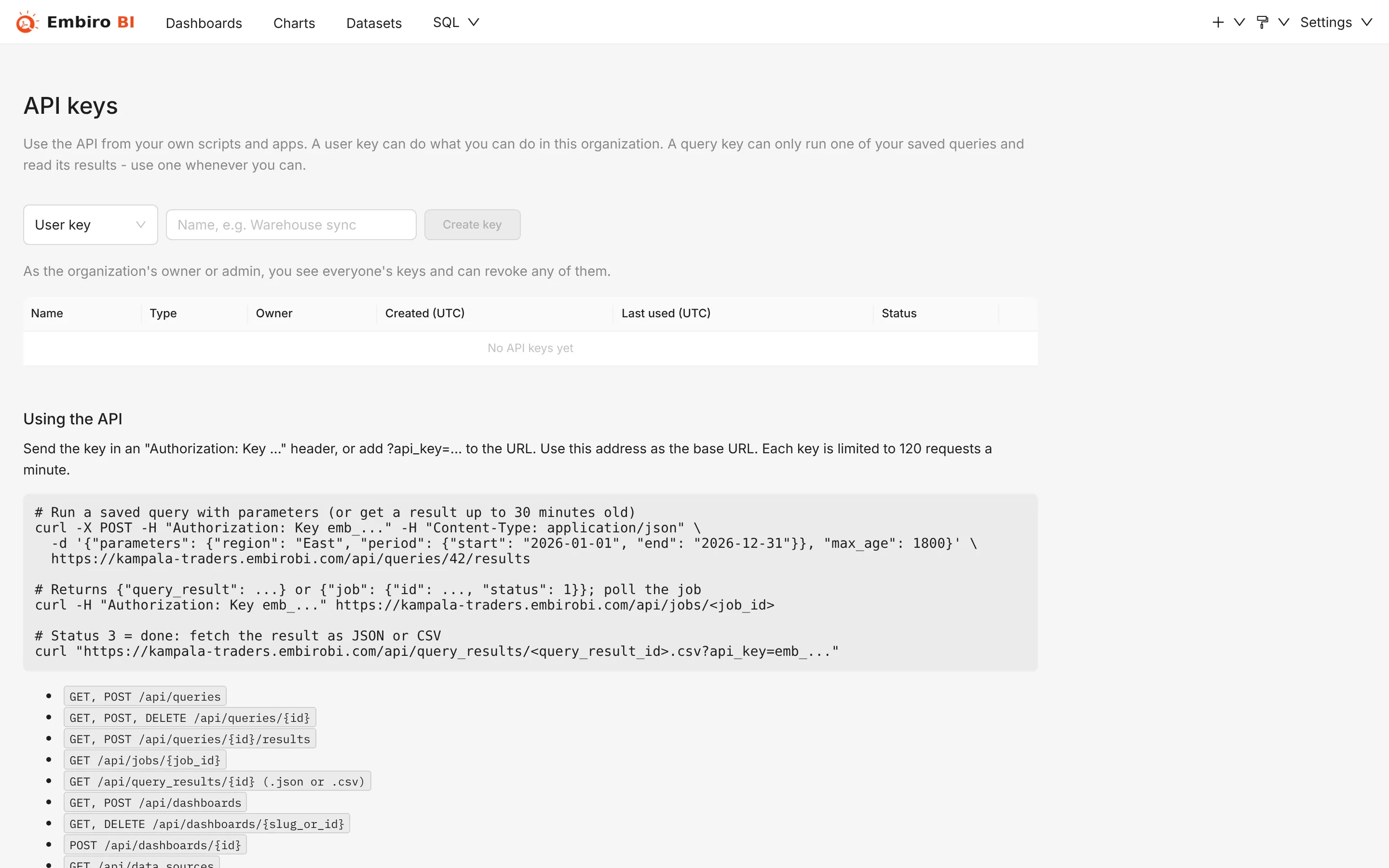
The list shows each key's Created and Last used times. Click Revoke to stop a key immediately.
A key also stops working when its owner leaves the organization, or when your plan loses API access.
Sending the key
Send the key in the Authorization header:
curl -H "Authorization: Key emb_YOUR_KEY" https://your-address.embirobi.com/api/queries
Authorization: Bearer emb_... works too, and on the Query API so does ?api_key=emb_... in the address (handy for spreadsheets, but the key then shows in logs and browser history).
Each key may make 120 requests per minute.
Query API
The Query API runs your saved queries and returns their results as JSON or CSV, so other systems can use them as a data feed. "Queries" are your SQL Lab saved queries.
| Request | What it does |
|---|---|
GET /api/queries |
List saved queries |
GET /api/queries/<id> |
One saved query, with its SQL and parameters |
POST /api/queries/<id>/results |
Run a query (with parameters and max_age) |
GET /api/queries/<id>/results.csv (or .json) |
The latest stored result of a query with its saved parameters, without running it |
GET /api/jobs/<job id> |
Check a running query |
GET /api/query_results/<result id> |
Fetch a result as JSON |
GET /api/query_results/<result id>.csv |
Fetch a result as CSV |
GET /api/dashboards |
List dashboards |
GET /api/data_sources |
List database connections |
Run a saved query
curl -X POST https://your-address.embirobi.com/api/queries/12/results \
  -H "Authorization: Key emb_YOUR_KEY" \
  -H "Content-Type: application/json" \
  -d '{"parameters": {"region": "Central"}, "max_age": 3600}'
- If a result less than
max_ageseconds old exists for the same parameters, it is returned at once as{"query_result": {...}}. - Otherwise the query starts and you get
{"job": {"id": "...", "status": 1}}. PollGET /api/jobs/<id>untilstatusis3(done;query_result_idis set) or4(failed), then fetchGET /api/query_results/<query_result_id>.
Python example
import time, requests

BASE = "https://your-address.embirobi.com"
HEADERS = {"Authorization": "Key emb_YOUR_KEY"}

r = requests.post(f"{BASE}/api/queries/12/results", headers=HEADERS,
                  json={"parameters": {"region": "Central"}, "max_age": 0}).json()
while "job" in r and r["job"]["status"] not in (3, 4):
    time.sleep(1)
    r = requests.get(f"{BASE}/api/jobs/{r['job']['id']}", headers=HEADERS).json()
result_id = r.get("query_result", {}).get("id") or r["job"]["query_result_id"]
rows = requests.get(f"{BASE}/api/query_results/{result_id}", headers=HEADERS).json()
print(rows["query_result"]["data"]["rows"][:5])
Google Sheets and Excel
With a query key, a spreadsheet can load a saved query's latest stored result as CSV:
=IMPORTDATA("https://your-address.embirobi.com/api/queries/12/results.csv?api_key=emb_YOUR_QUERY_KEY")
In Excel, use Data → From Web with the same address. This returns the most recent run of the query with its saved parameters. It answers "No cached result found" until the query has been run once through the API (POST .../results), and shows newer data after each new run, so pair it with a scheduled script or run the query before refreshing the sheet. Results are kept for 7 days.
REST API
User keys can also read Embiro BI's REST API, such as GET /api/v1/dashboard/, GET /api/v1/chart/<id>, GET /api/v1/dataset/ or POST /api/v1/chart/data. API keys can only read through it; changes go through the app. Contact us for the full endpoint reference.
To show dashboards in your own website, see Embedding dashboards, which uses an API key to create guest tokens.
Something unclear or missing? Tell us and we'll improve this page.