
Documentation › Organization settings
Activity and audit log
See who did what in your Embiro BI organization - usage metrics, the audit log of sign-ins, member changes, edits and exports, and CSV export.
Settings → Activity shows how your organization uses Embiro BI and keeps an audit trail of important actions.
Who can do this: Super Admin and Admins. It is a plan feature ("Audit log & usage metrics").
Usage
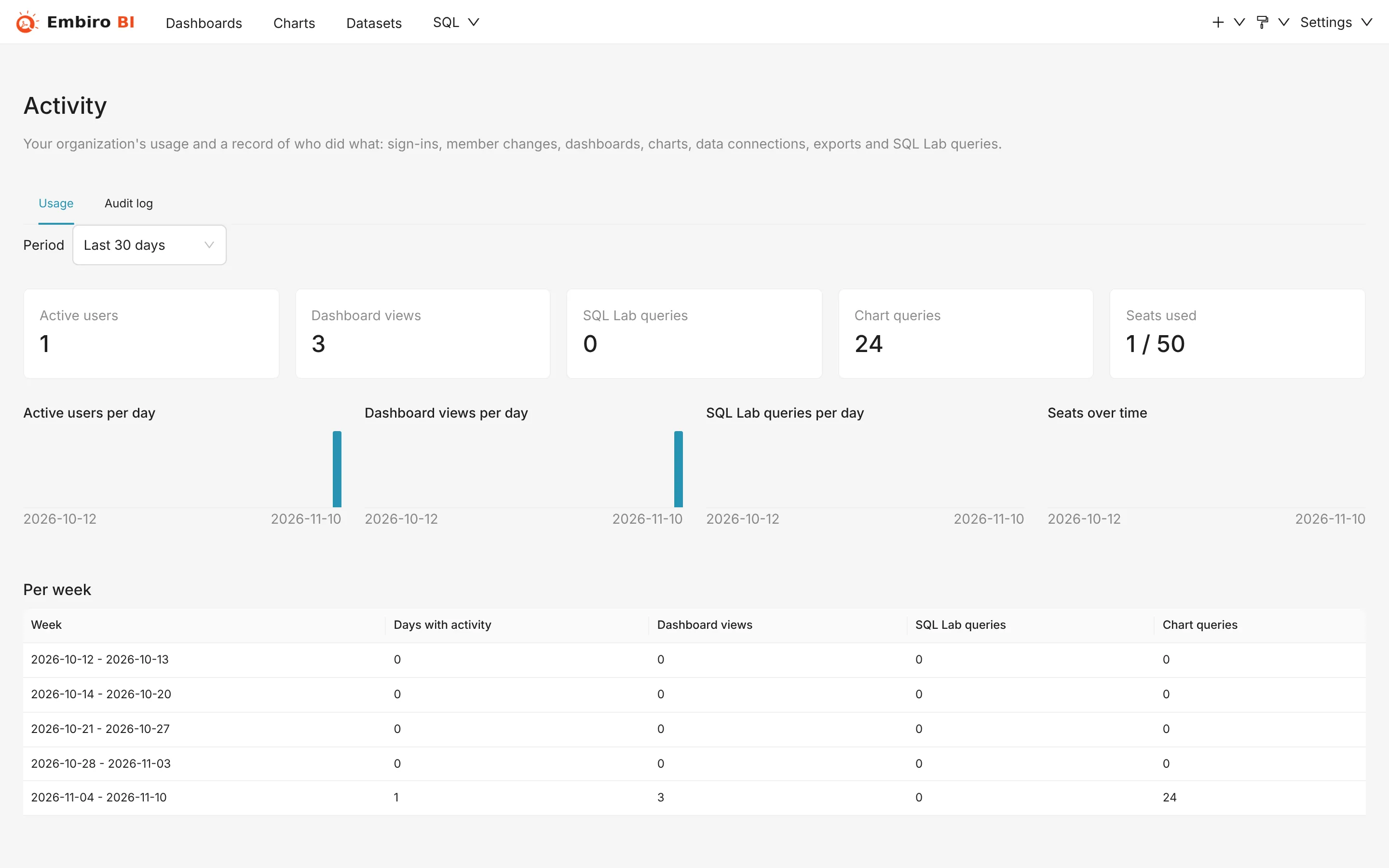
The Usage tab summarizes a Period (such as the last 30 days):
- Active users and Active users per day: how many members signed in and did something;
- Dashboard views and Dashboard views per day, and the Top dashboards;
- Chart queries and the Top charts;
- SQL Lab queries per day;
- Seats used and Seats over time, to see whether you have the right number of seats.
Use it to find dashboards nobody opens (and retire them) and the ones everyone relies on (and keep them fast and certified).
Audit log
The Audit log tab lists actions with their time (UTC), the person, the category and details. Filter by Dates, user (All users) and Category.
What is recorded:
| Category | Actions |
|---|---|
| Sign-ins | Signing in, with password, Google or single sign-on |
| Members | Invitations sent and revoked, members joining, role changes, removals, password resets, joining through SSO or SCIM, API keys and AI assistant connections created or revoked |
| Dashboards | Dashboards, alerts and reports, and CSS templates created, edited, copied, deleted, imported or exported |
| Charts | Charts created, edited, deleted, imported or exported, and chart data downloaded as CSV or Excel |
| Data | Database connections and datasets created, edited, deleted or exported; dbt settings changed and synced |
| Queries | SQL Lab queries run, saved queries created, edited and deleted, and SQL Lab results downloaded |
Export CSV downloads the filtered log, for example to keep it in your own records or to answer an auditor.
How long it's kept
Entries are kept for 365 days and then deleted. Export the CSV regularly if you need a longer history.
History starts from when the feature was added to Embiro BI. Older actions aren't shown.
Something unclear or missing? Tell us and we'll improve this page.