
Documentation › Organization settings
Custom domain
Serve your Embiro BI organization at your own domain, such as bi.yourcompany.co.ug, with one DNS record and automatic HTTPS.
By default your organization lives at https://<your-address>.embirobi.com. With a custom domain, it lives at an address on your own domain instead, such as https://bi.kampalatraders.co.ug. Sign-in, dashboards, shared links and report emails all use it. HTTPS certificates are set up automatically.
Who can do this: Super Admin and Admins. It is a plan feature ("Custom domain").
Choose the domain
Use a subdomain of a domain you own, such as bi.example.co.ug, analytics.example.com or dashboards.example.org. A bare domain like example.co.ug can't be used, because it can't have the DNS record this needs.
Set it up
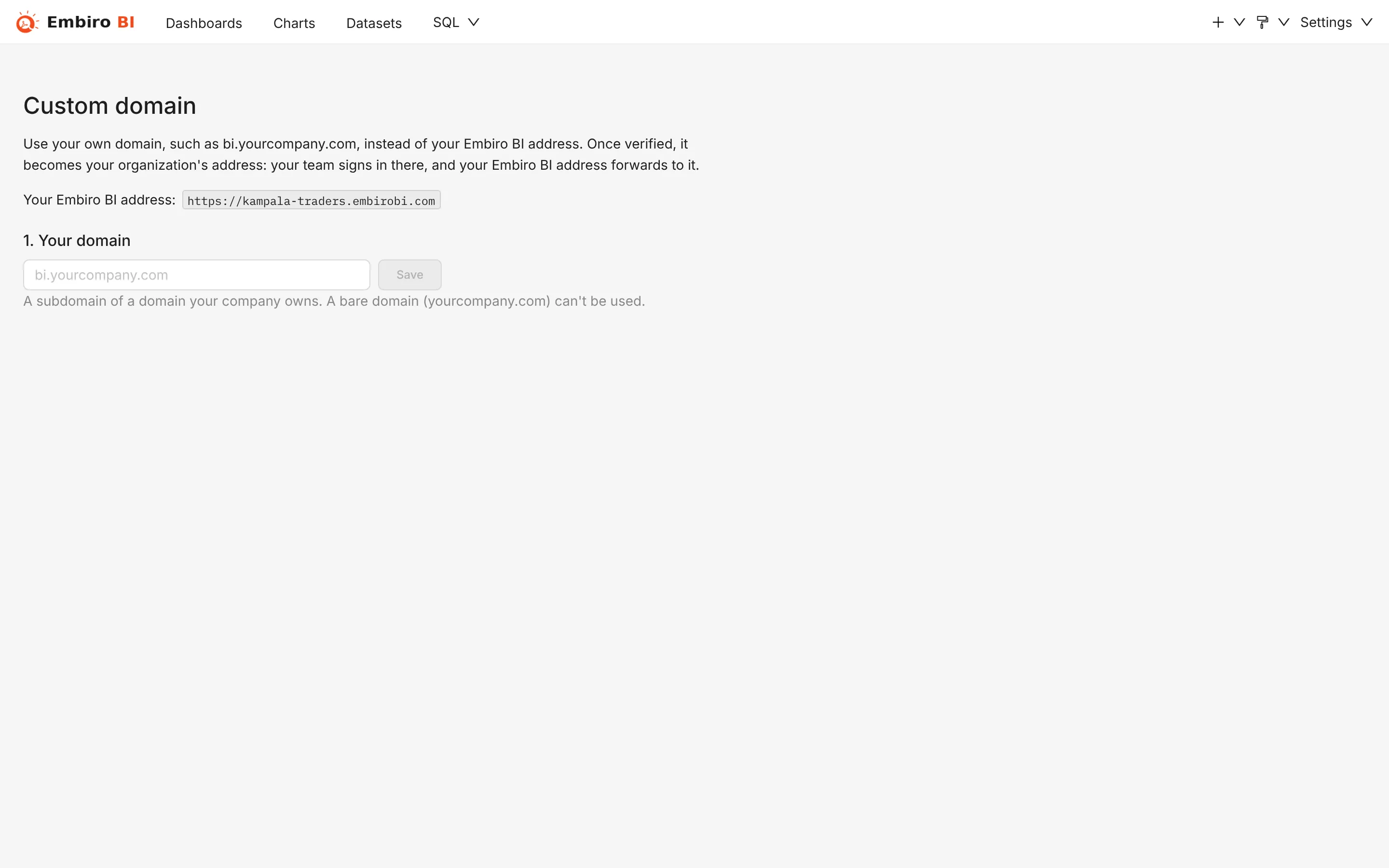
- Open Settings → Custom domain.
- Under 1. Your domain, type the domain, such as
bi.example.co.ug, and click Save. -
Under 2. Add this DNS record, the page shows the record to create:
Type Name Points to CNAME bi.example.co.ug(or justbi)your-address.embirobi.comClick Copy next to each value. 4. Sign in to wherever your domain's DNS is managed (your registrar, cPanel, Cloudflare, ...) and add that CNAME record. With Cloudflare, set the record to DNS only (grey cloud), not proxied. 5. Back in Embiro BI, under 3. Verify, click Verify. DNS changes can take from a few minutes to a few hours to spread: if it says Not verified yet, try again later.
When it shows Verified. Your organization uses https://bi.example.co.ug, you're done. The first visit to the new address takes a few extra seconds while its HTTPS certificate is issued.
After it is verified
- Your old
embirobi.comaddress keeps working and forwards to your domain, so existing links and bookmarks still work. - Sign in at the new address. Password sign-in works there. Sign in with Google and Sign in with SSO take a short trip through
app.embirobi.comand bring you back. - Keep the CNAME record in place. If it is removed, your domain stops working, and your organization goes back to its
embirobi.comaddress.
Remove it
Settings → Custom domain → Remove. Your organization goes back to its embirobi.com address immediately. You can then delete the DNS record. If your plan no longer includes custom domains, the same happens automatically.
Something unclear or missing? Tell us and we'll improve this page.